
Boundless Black 2 Not Working? Checksum & Black Screen
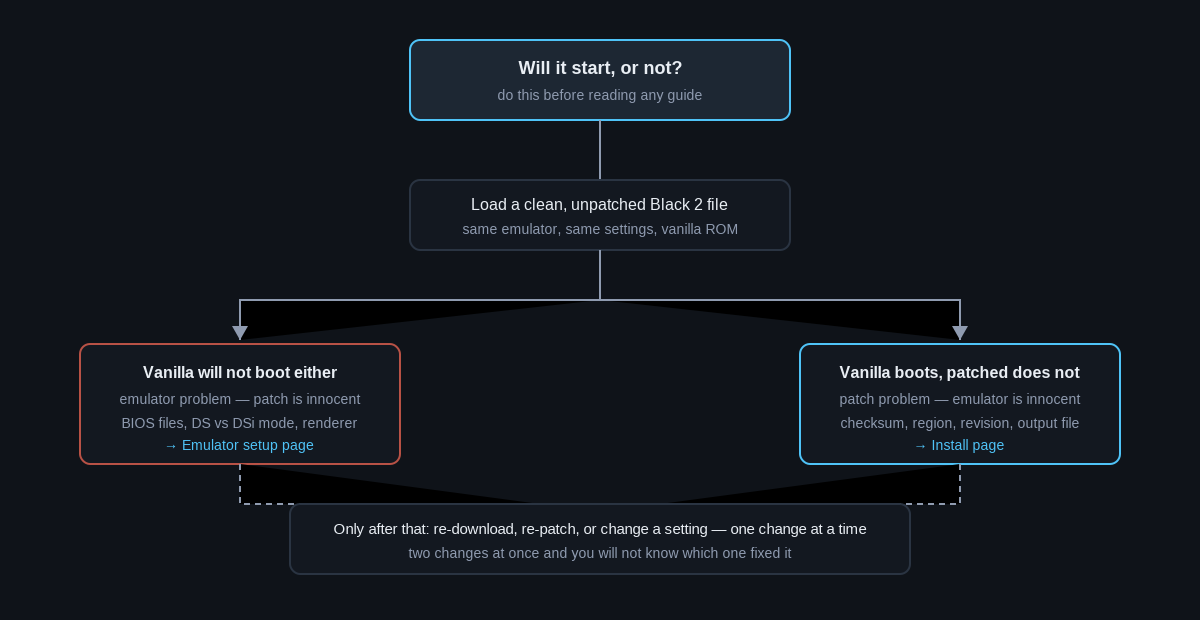
Almost every "Boundless Black 2 is not working" report is one of two problems: the patch never applied cleanly, or the patch applied fine and the emulator will not boot it. They look identical from the player's chair and have completely different fixes.
Sort yourself into the right column first.
| Where it fails | The fix lives here |
|---|---|
| The patching tool refuses, or shows an error about the source file | This page, first section |
| The output file exists but the emulator will not open it | This page, second section |
| The game boots, then freezes or shows a blank screen | This page, third section |
| The patch file itself is not public yet | Patch status |
"Checksum mismatch" and other patch errors
A checksum is a fingerprint of a file's contents. The patch contains the fingerprint of the exact original it was built for, and your file has to match it. If it does not, the patch refuses, which is the tool doing its job.
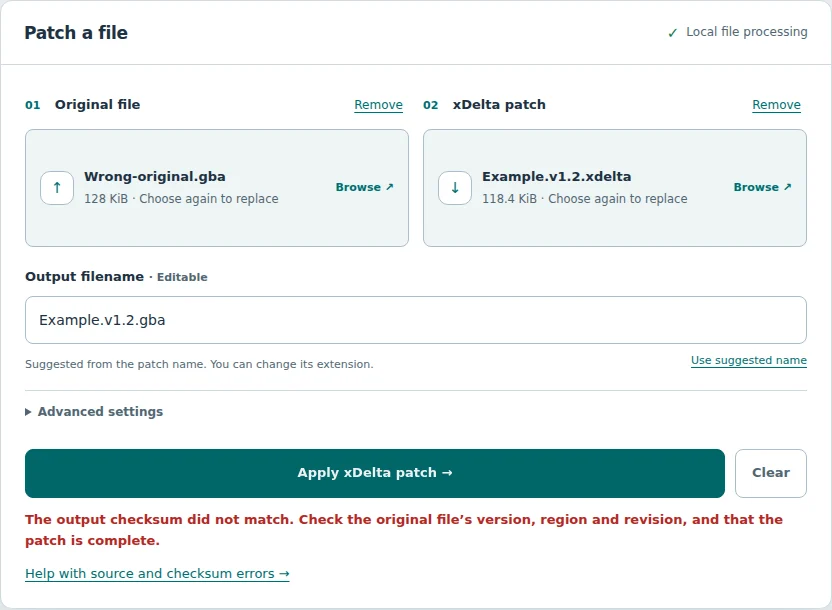
The three causes, in order of how often they happen:
- Region or revision mismatch. A European Black 2 is not the same file as a North American one, and cartridge revisions differ within a region. Check yours against the release notes.
- The original was already modified. A file that was patched before, or came from a bundle with a custom patch applied, is not clean. Renaming it does not help, because the check reads contents.
- The file is incomplete or was trimmed. Some sources strip padding to shrink the file, which changes the checksum. Use an untouched dump.
What to do: go back to a known-clean copy, confirm region and revision, and try once. If it still refuses, stop patching and re-read the release notes. Trying a second tool rarely helps, because the tool is not what is checking the file.
The output file will not open
If the patch reported success but the emulator rejects the file:
- Check the filename. Load the output, not the original. This sounds obvious and it is still the most common mistake.
- Check the file size. A patched file should be roughly the same size as the original. A few kilobytes, or zero, means the write failed.
- Check the extension. It should still be
.nds. Some tools save without one. - Try vanilla Black 2 again. If vanilla will not open either, your emulator's ROM folder or permissions are the problem, not the patched file.
It boots, then goes black
This is the emulator, not the patch, in almost every case:
- Switch the renderer. melonDS: toggle between OpenGL and software. DeSmuME: try the software renderer. Free, instant, and it fixes a surprising share of black screens.
- Check DS mode versus DSi mode. These are DS games. Forced DSi behaviour produces black screens on titles that otherwise run fine.
- Add the BIOS and firmware files. melonDS is much better behaved with them present.
- Check the save type. Auto-detect first. A wrong save type tends to show up as a save that silently does not stick.
- Update the emulator. A build from two years ago is a real cause of crashes in the first battle on new hacks.
The emulator page has the full settings walkthrough for both emulators and Android.
Freezes, glitches and missing sounds
New hacks stress emulators in ways the original games do not. Before you conclude the patch is broken, test three things: the same file on a second emulator, the same emulator with a vanilla Black 2 file, and the same emulator with the renderer switched. Those three tests tell you whether the problem is the file, the emulator or the settings, and they take ten minutes.
If the file fails on two emulators and vanilla works on both, the download is probably bad. Re-download from the official host and patch again from a clean original. Do not patch the patched file.
What not to do
Do not download a "fixed" pre-patched ROM from a mirror site. You will not know which patch version it came from, whether it was trimmed, or what else was added to it, and you lose the ability to patch again when the project updates. The whole point of a patch release is that you can re-apply it cleanly.
FAQ
Common questions
Why does the patch say checksum mismatch?
The patch was built for a specific original file. A different region, a different cartridge revision, a previously patched file or a trimmed dump all produce a different checksum. Go back to a known-clean copy and compare region and revision against the release notes.
The game boots to a black screen, is the patch broken?
Almost never. Switch the renderer between OpenGL and software, confirm you are running in DS mode rather than DSi mode, add the BIOS files, and update the emulator. If vanilla Black 2 boots and the patched file does not, then look at the file.
Can I patch a file that was already patched?
No. Patching changes the file's contents and therefore its checksum, so it no longer matches what the patch expects. Always patch from an untouched original and keep that original safe.
Should I just download a pre-patched ROM instead?
No. You will not know which patch version it is, whether it was modified further, or whether it will still work when the project updates. Waiting for the official patch and applying it yourself is the only version you can redo.